

Despite their roots in band-based music such as funk and disco, electronic styles such as house and trance are often extremely synth-heavy. Introducing a more traditional element, like a guitar part, can create an appealing juxtaposition with the synthetic tones, enhancing the emotional impact of the music.
Session Guitarist: Electric Neon Essentials is a Kontakt instrument that will help you create guitar hooks for your electronic music productions entirely in your DAW, with zero guitar skills necessary.
In this walkthrough, we’ll show you how to create an emotional guitar breakdown for a house track that can sound like this:
Native Instruments · 01 Breakdown demo
Jump to these sections:
- How can I add electric guitar to house music?
- How to create bright lead melodies in dance music?
- Making house music with Session Guitarist: Electric Neon Essentials
To follow along, you’ll need Session Guitarist: Electric Neon Essentials, which is compatible with Kontakt 8 and the free Kontakt 8 Player, the House Grooves Leap Expansion, and Massive X.
Discover Session Guitarist: Electric Neon Essentials
How can I add electric guitar to house music?
Traditionally in electronic music production, one would create guitar parts for house music by recording a physical guitar or playing a sample-based instrument like a workstation keyboard.
To record an actual guitar, you either need to be able to play it yourself or have a competent guitarist handy. Sample-based instruments are more convenient, but can sound artificial.
Session Guitarist: Electric Neon Essentials offers something of a hybrid approach that combines meticulously recorded samples and MIDI information to create an authentic sound, making it a practical way to create guitar hooks in your DAW.
How to create bright lead melodies in dance music?
The most common way to create bright lead melodies in dance music is to use synths. Synths are convenient and can create a wide variety of tones, giving the producer a broad palette of sounds.
That said, physical instruments can deliver rich textures and expressive performances, so it’s worth considering a variety of sound sources.
Session Guitarist: Electric Neon Essentials allows you to create melodies using its large library of guitar sounds, making it a good way to create leads as well as chord progressions and rhythm parts.
Making house music with Session Guitarist: Electric Neon Essentials
1. Song starting with MIDI drag and drop
Let’s start completely from scratch, setting our project tempo to a brisk 128 BPM.

Setting the project tempo
On a MIDI track, add Kontakt, select the Electric Neon Essentials instrument, and double-click the Main Stage preset to load it up.
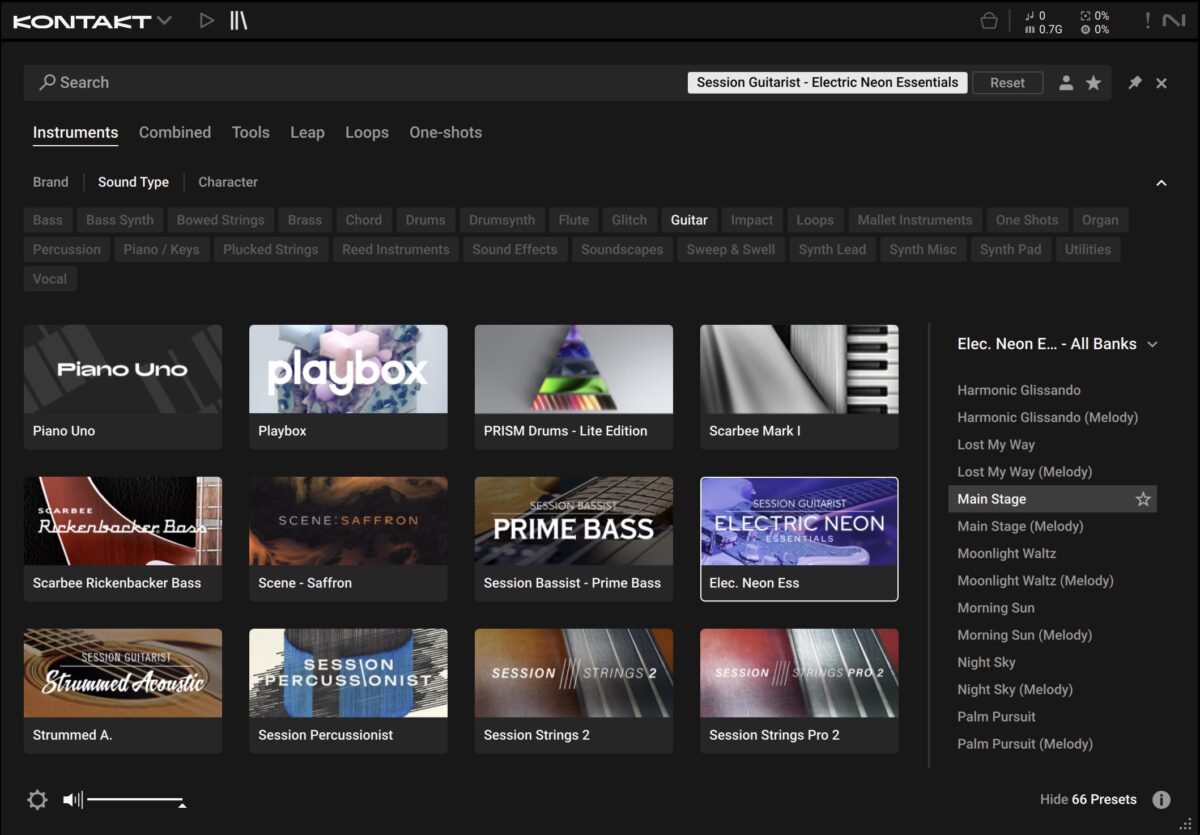
The Main Stage preset

The MIDI drag icon
You may see a prompt asking if you’d like to import tempo and time signature data, depending on your DAW. This isn’t necessary in this case, so select No.

The MIDI part
Once the MIDI is on the MIDI track, we can play back the chords and hear Electric Neon Essentials do its thing: create a beautiful guitar part.
Native Instruments · 02 MIDI chords
2. Creating variation by switching patterns
So, Electric Neon Essentials just needs to be fed some MIDI chords, and it will produce authentic strummed guitar patterns. We can change the strummed pattern using keyswitches, indicated by the red keys on the left-hand side of the virtual keyboard.

Keyswitches in red
Pressing one of these keys will change the strumming pattern to one of up to eight selected via the pattern slots at the centre of the interface.

Pattern slots
Let’s try changing from the first pattern to another pattern. When we exported the MIDI from Electric Neon Essentials, it included a keyswitch note, the C1 at the bottom.
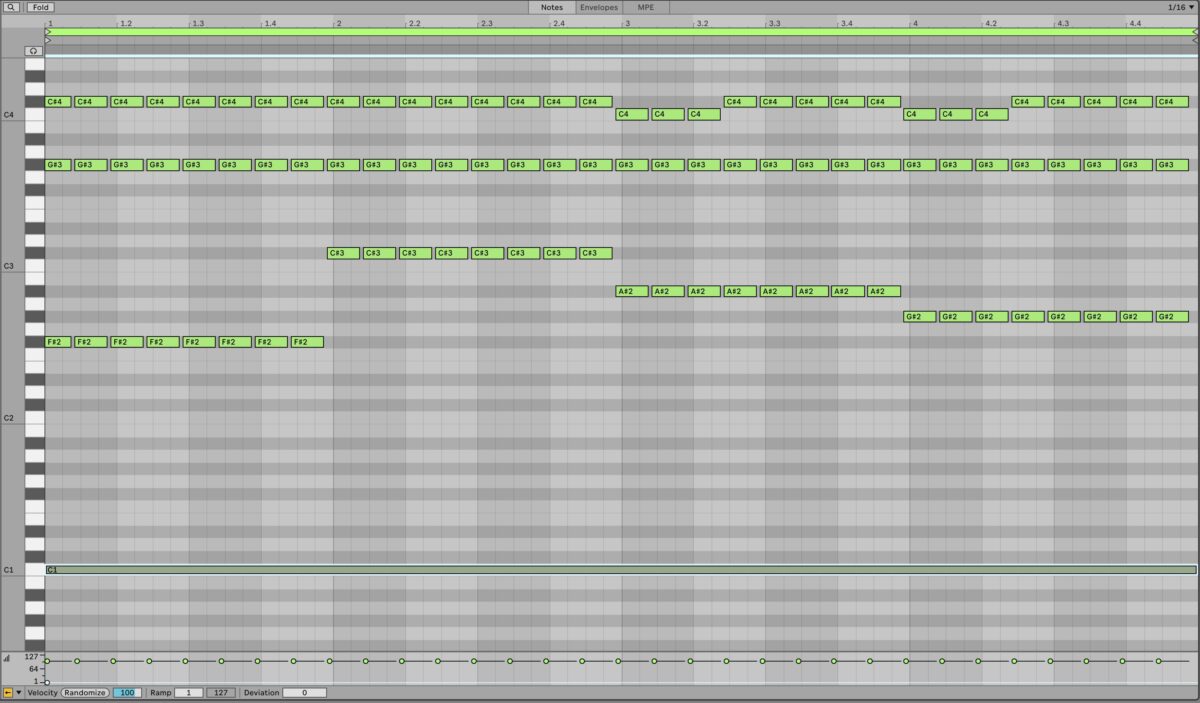
Keyswitch MIDI
Duplicate the MIDI clip, and change the keyswitch in the first version of the clip from C1 to D1.

Editing the keyswitch MIDI
Now, when we play the clips back, we’ll hear one pattern from the first clip and another from the second.
Native Instruments · 03 Keyswitch change
3. Enhancing sounds by layering MIDI
As we have the MIDI chords for our guitar part, we can easily create a synth layer to develop our musical idea. On a new MIDI track, load up Massive X, click the preset name to bring up the Browser, and double-click the Harmonium Error preset to load it up.

The Harmonium Error preset
Set this track to -5 dB to balance it with the guitar part.

Balancing the Harmonium Error preset
Duplicate the second MIDI clip from the guitar track onto the synth track.

Duplicating the guitar MIDI
Before we play this part back, we need to delete the keyswitch MIDI, as this isn’t required for the synth part.

Deleting the keyswitch MIDI
As the synth MIDI only comes in on the second guitar MIDI clip, it’s brought in as the strum pattern changes. This elevates the introduction of the second pattern.
Native Instruments · 04 Introducing the synth
4. Adjusting performance settings for improved groove
Let’s see how we can use Electric Neon Essentials Performance controls to make sure that our guitar parts fit with the rest of our elements.
First, let’s put some drums into our project. Add a new MIDI track, load up Kontakt, and this time click the Leap button. Select the House Grooves and double-click the Calamata Kit to load it up

The Calamata Kit
Duplicate the synth and guitar layer MIDI clips, and add a MIDI clip on the drums track to accompany the new clips.
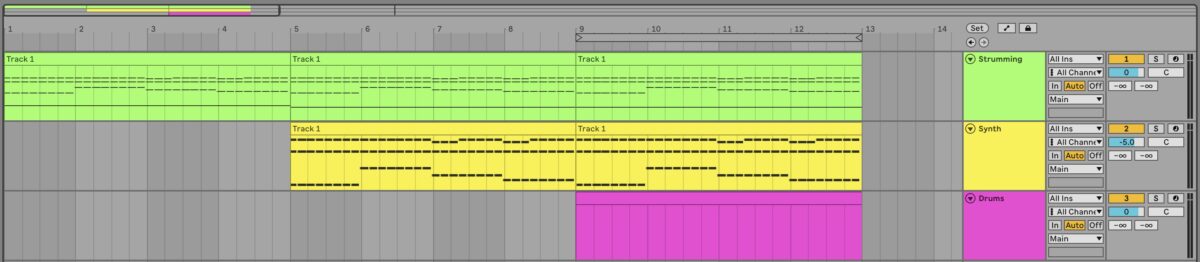
Adding new MIDI clips
Trigger the Calamata Kit to play D3, E3, and G3 for the whole four-bar clip. These notes trigger house hi-hat and clap loops.

Sequencing house loops
Native Instruments · 05 Adding house loops
The guitar and house loops sound okay together, but let’s see if we can improve their compatibility.
In Electric Neon Essentials, click the Playback tab at the bottom right-hand corner of the interface, then in the Performance panel, turn the Feel up to 100%.

Turning up the Feel
This more offbeat style of performance helps the guitar sound more congruent with the other elements, particularly the house loops.
Native Instruments · 06 Increased feel
5. Using melody presets to develop musical ideas
In addition to strummed patterns, Session Guitarist: Electric Neon Essentials features melody presets you can use to create your own melodies. Each preset has an accompanying melody version, so let’s make a new MIDI track and load up the Main Stage (Melody) preset in Kontakt.
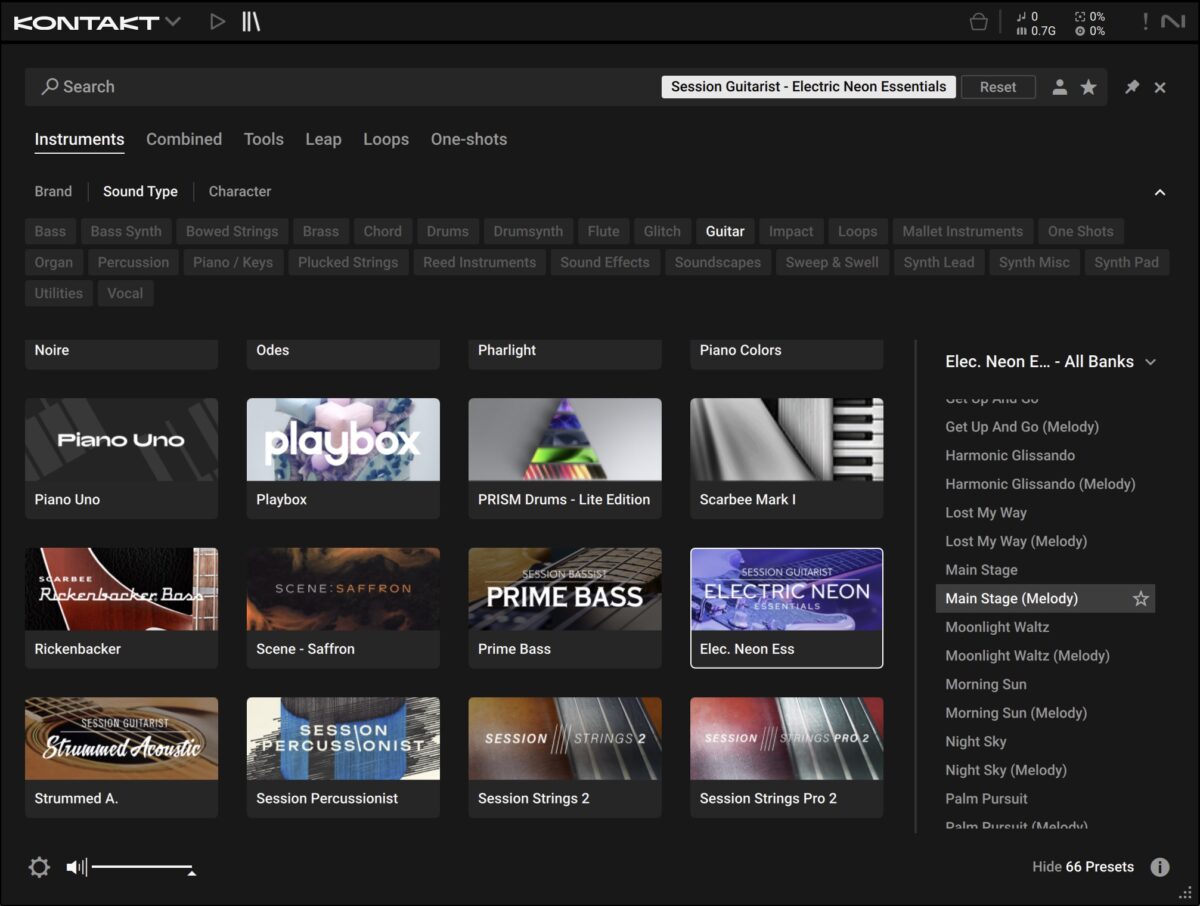
The Main Stage (Melody) preset
Set this track to -8 dB.

Balancing the melody preset
Let’s compose a simple lick that will elevate the emotional impact of the strummed part. This part is played with velocity levels of 127 and features a C#4 note on the first beat of the first bar, with additional C#4 and D#4 notes on the final two eighth notes of the clip.
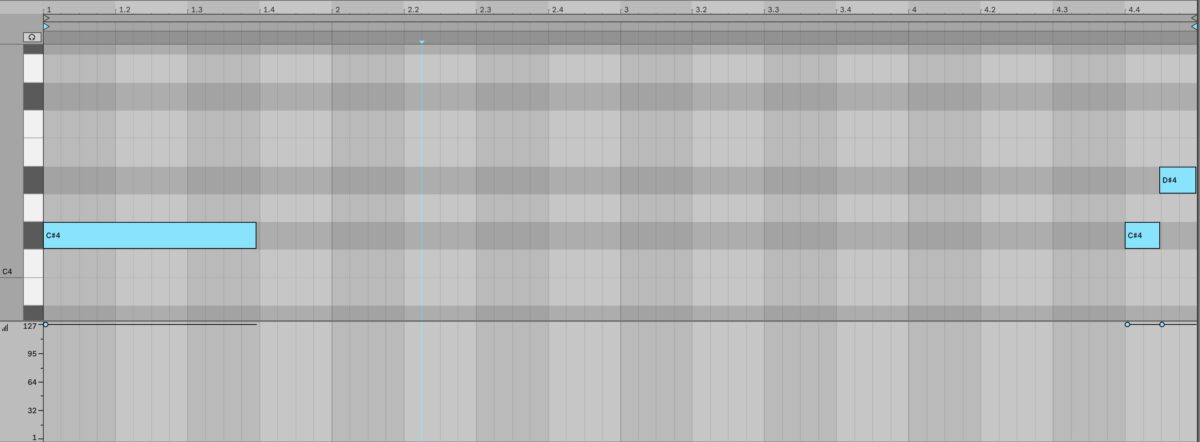
A simple lick
Duplicate this out for the whole project, deleting the first note in the arrangement so that the part only comes in as the strumming pattern changes.

Duplicating the melody clips
Native Instruments · 07 Adding a melody part
There we have it, an emotional house breakdown just itching for you to add a suitably funky drop.
Start putting guitar into your dance music today
In this tutorial, we’ve seen how you can use Session Guitarist: Electric Neon Essentials to create professional guitar parts for dance music without needing to be a virtuoso. Whether you’re looking to add a subtle rhythmic layer or a soaring melodic hook, these tools allow you to bridge the gap between organic performance and electronic precision. Don’t be afraid to experiment with different patterns and processing—sometimes a single distorted chord is all it takes to make a track stand out.
Discover Session Guitarist: Electric Neon Essentials
The post 5 ways to get club-ready guitar hooks into your house track (no guitar skills required) first appeared on Native Instruments Blog.